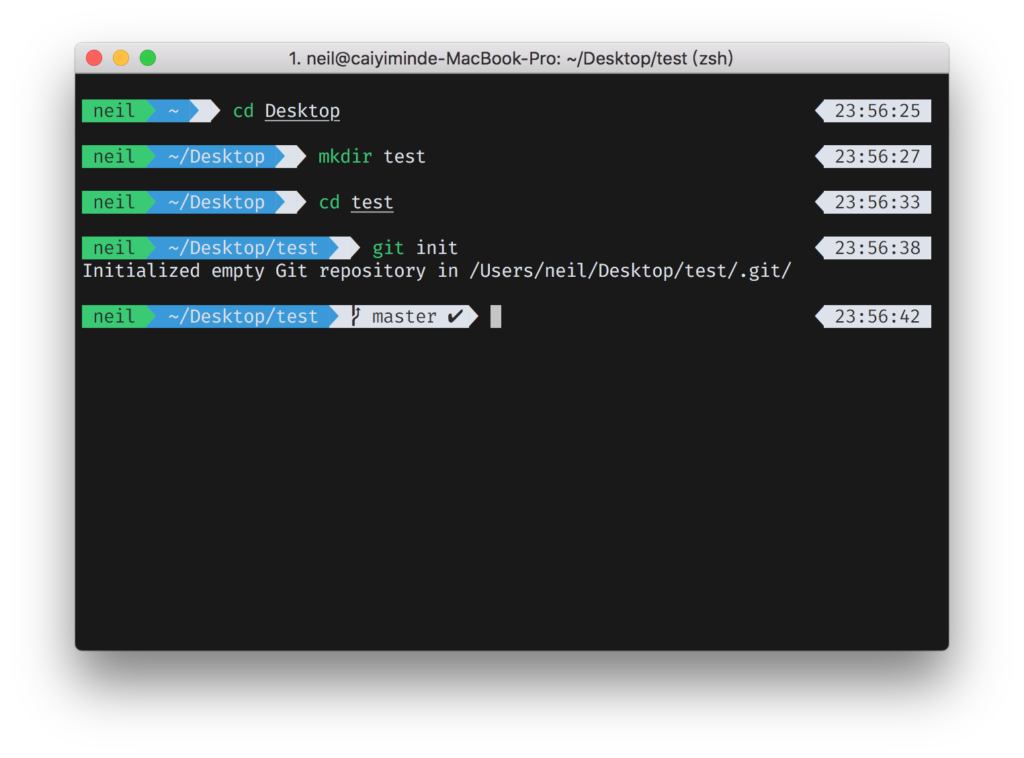
zsh settings#
Edit .zshrc
Download theme
1
| git clone https://github.com/jeremyFreeAgent/oh-my-zsh-powerline-theme.git
|
Go to dir
1
| cd ./oh-my-zsh-powerline-theme
|
Install theme
Theme conf in file “.zshrc”
1
2
3
4
5
| ZSH_THEME="powerline"
POWERLINE_HIDE_HOST_NAME="true"
POWERLINE_DISABLE_RPOMPT="true"
POWERLINE_FULL_CURRENT_PATH="true"
POWERLINE_PATH="short"
|
Install zsh-completions
1
| brew install zsh-completions
|
Install zsh-autosuggestions
1
| brew install zsh-autosuggestions
|
Install zsh-syntax-highlighting
1
| brew install zsh-syntax-highlighting
|
zsh plugin setting in file “.zshrc” at /home/{username}
1
| source /usr/local/share/zsh-autosuggestions/zsh-autosuggestions.zsh
|
1
| source /usr/local/share/zsh-syntax-highlighting/zsh-syntax-highlighting.zsh
|
zsh-completions settings
1
| fpath=(/usr/local/share/zsh-completions $fpath)
|
Download powerline fonts
1
| git clone https://github.com/powerline/fonts.git
|
Go to dir
Install fonts
delete fonts installation files
iTerm2 settings#